Binary Data: The Forgotten Essential of WebSockets
26-12-2025
If you search for “Online WebSocket Client,” you’ll find plenty of tools designed for web developers. They are great for testing chat apps or stock tickers where everything is JSON.
But try sending a raw byte array beginning with 0x80 to one of them.
Most of these tools will either try to “fix” your data (corrupting it), display a mess of replacement characters, or simply drop the connection because the payload isn’t valid UTF-8.
For a web developer, this is a safety feature. For an embedded engineer, it’s a barrier.
Why Binary Still Rules The Edge

In the world of microcontrollers, every byte counts
At the wire level, the WebSocket protocol (RFC 6455) is perfectly happy with binary. It uses Opcode 0x2 specifically for raw data. While the web has moved toward verbose, human-readable formats, embedded systems still rely on binary for three very good reasons:
- Zero-Copy Efficiency: Why waste CPU cycles on an ESP32 running
sprintfjust to send sensor data? You can simply cast your struct to a byte array and ship it. - Bandwidth: A 32-bit integer is 4 bytes in binary. In JSON,
"value": 2147483647is 19 bytes. Over a cellular IoT connection, that difference is money. - Deterministic Parsing: No floating-point rounding issues or string-parsing edge cases. What you send is exactly what the receiver gets.
The Tool That Speaks “Embedded”
We built our online WebSocket tool because we needed a client that treats binary data as a first-class citizen, not an afterthought.
1. Transparent Receipt
When your device sends a binary frame, we show it to you in a dedicated hexadecimal message. No “guessing” the encoding, no broken characters—just the raw reality of your data.
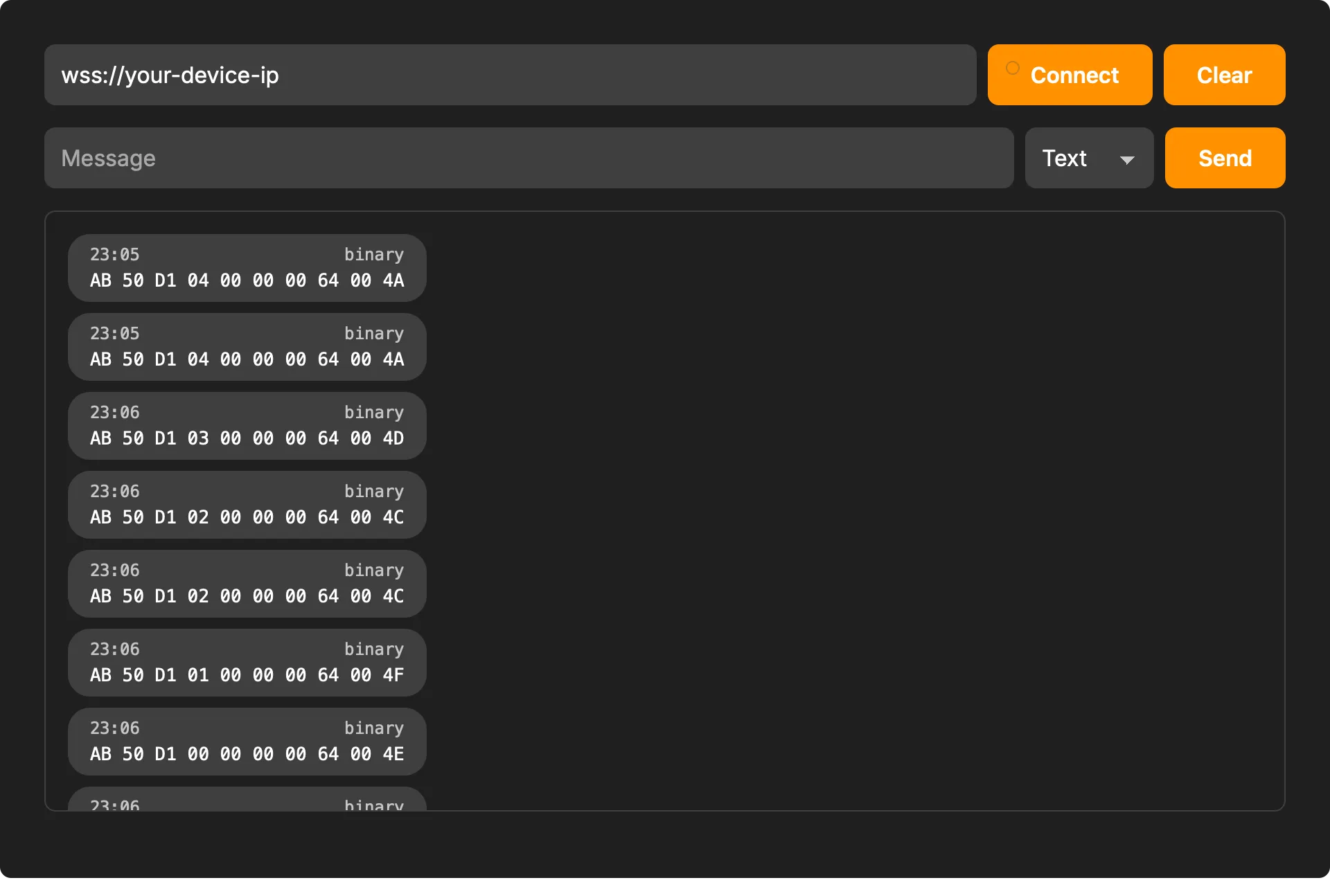
Our tool shows binary packets clearly
2. Flexible Input (Hex, Base64, and More)
Testing shouldn’t involve writing a Python script just to format a packet. Our tool lets you switch input modes on the fly:
- Hex Mode: Paste raw hex strings (e.g.,
DE AD BE EF) or mixed formats directly. - Base64/UTF-8 Binary: Useful for testing specific transport encodings used by different libraries.
- Text Mode: Still there for when you need to send standard JSON commands.
3. Clear Opcode Distinction
We don’t hide the protocol details. Our history log clearly labels frames as Text or Binary. You’ll never have to wonder if your firmware accidentally sent a string instead of a byte array.
Bridging the Gap

Reliable tools are the foundation of stable IoT integrations
Having a tool that understands binary data is the difference between a 5-minute debug session and a 2-hour headache. Whether you are working on a custom gateway, an industrial sensor, or an OTA update system, seeing the raw bytes is essential.
Stuck on a Protocol?
If you’re developing an embedded system and your WebSocket frames just aren’t lining up, we can help. We specialize in the “messy” middle ground where hardware meets the web.
- Try the tool: Online WebSocket Client
- Consulting: From protocol design to firmware implementation, we help you get connected.
📧 Contact us at altug@alsoft.nl
⚙️ Check out our Tools